August 29, 2025
Deepgram Saga - No more copy and pasting!
Section titled “Deepgram Saga - No more copy and pasting!”Highlight Text and Take Action
Section titled “Highlight Text and Take Action”Transform any text on your screen into an actionable opportunity. Simply highlight text and hover over the widget to unlock three powerful capabilities:
- Ask Saga - Turn any text into a conversation starter
- Read it out - Have any highlighted content read aloud
- Rewrite - Transform highlighted content on the fly
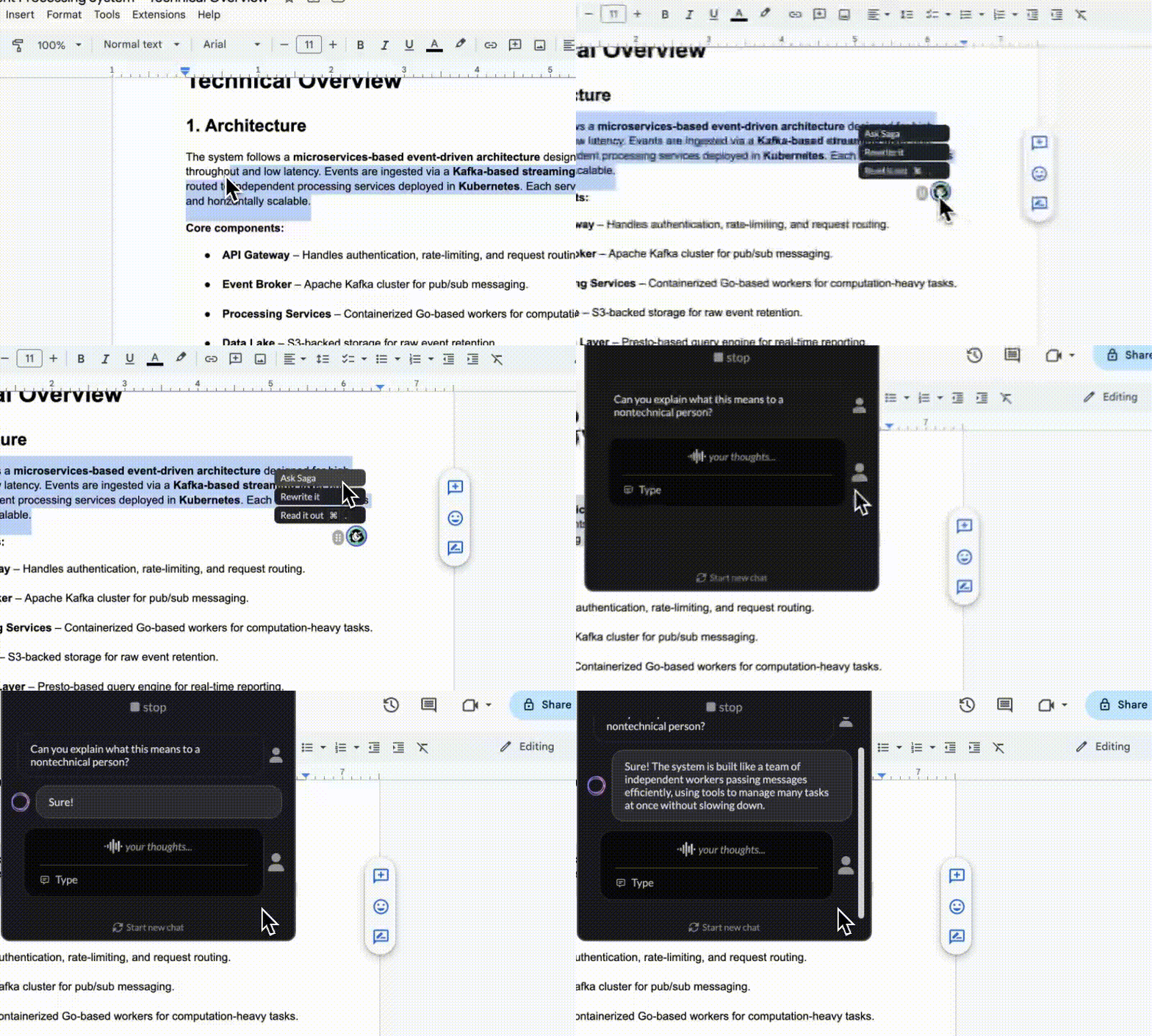
Ask Saga opens up endless possibilities:
- Highlight an email and ask Saga to draft a response
- Highlight complex text and ask Saga to summarize it
- Highlight an error message and ask Saga to explain what's wrong
- Highlight code snippets and ask Saga questions about the implementation
This feature brings Saga directly into your existing workflow, whether you're reading documentation, reviewing emails, debugging code, or processing any text-based content.
Resume Conversation is Back
Section titled “Resume Conversation is Back”Never lose your train of thought again. Seamlessly pick up where you left off with your previous conversations, making Saga feel like a natural extension of your workflow rather than starting from scratch each time.
Learn more about Deepgram Saga here!